

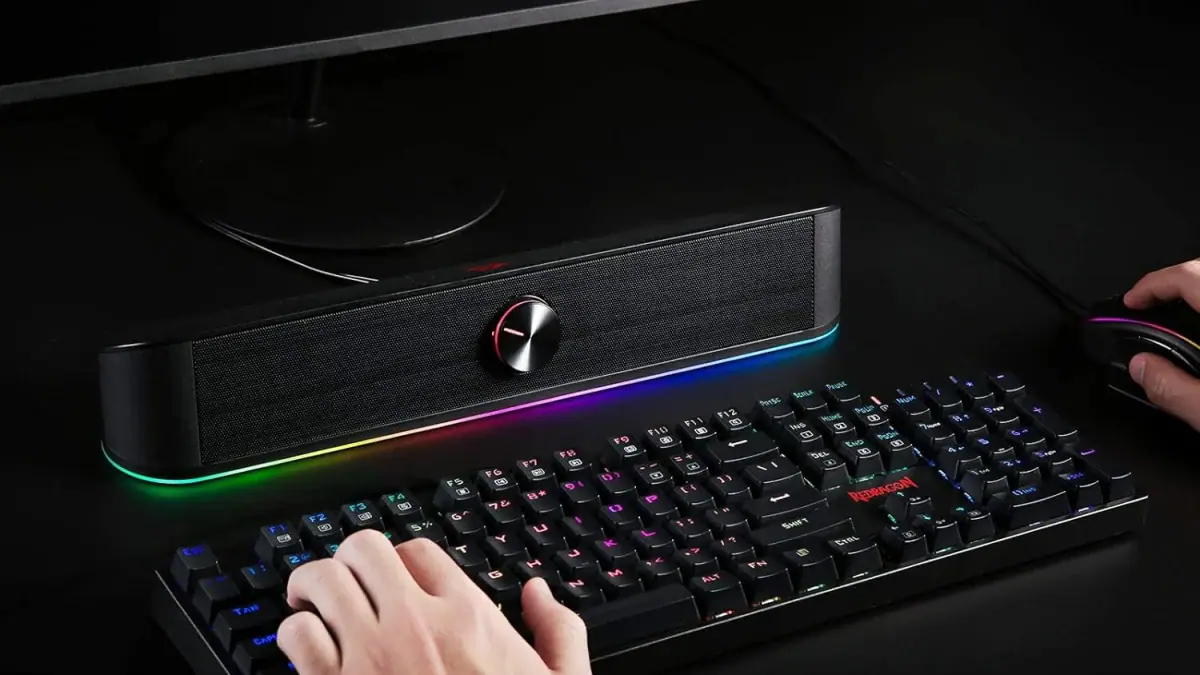
Redragon GS560 Soundbar Review: Is It Worth Buying in 2026?
Redragon GS560 Adiemus review: sound quality, RGB lighting, setup, pros and cons, and our 7/10 verdict on whether this budget PC soundbar is worth it.
Image: Redragon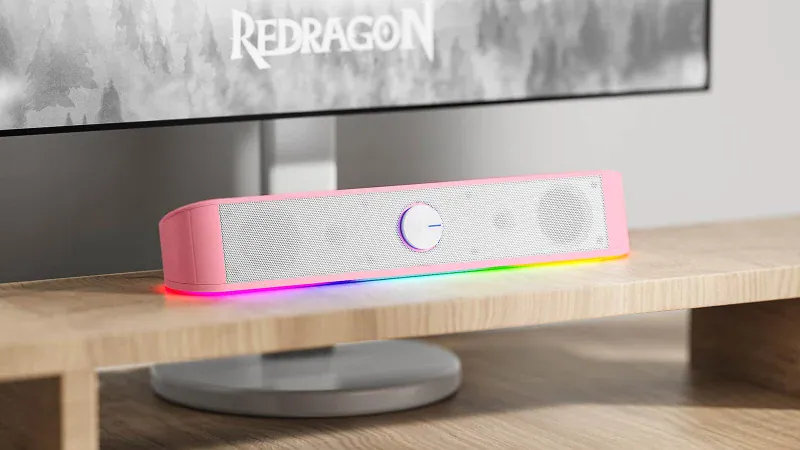
Our Redragon GS560 soundbar review in short: the GS560 Adiemus is a cheap, compact USB soundbar that's a clear step up from tinny monitor speakers. It sounds fuller, looks great with its RGB light strip and takes seconds to set up. Bass and stereo separation are limited, so it won't replace good speakers or a gaming headset, but as a budget desk upgrade it's well worth it.
Below we cover its design, sound, setup and who should buy it.
Redragon GS560 at a glance
| Full name | Redragon Adiemus GS560 |
| Type | 2.0-channel USB desktop soundbar |
| Drivers | 2 x 2-inch |
| Connection | 3.5mm audio, USB power (5V) |
| Lighting | RGB light strip with 4 modes, including music-reactive |
| Controls | Volume knob with power switch; touch button for lighting |
| Size | About 400 x 75 x 67mm |
| Weight | About 715g |
| Colors | Black (GS560) and white (GS560W) |
| Works with | PC, laptop, TV, phone and tablet with a 3.5mm output |
What is the Redragon GS560?
The GS560 Adiemus is Redragon's first RGB soundbar, designed to sit under your monitor as a simple, affordable replacement for weak built-in speakers. Redragon is best known for budget gaming keyboards and mice, and the GS560 follows the same idea: a lot of style and decent performance for the money.
Design and build quality
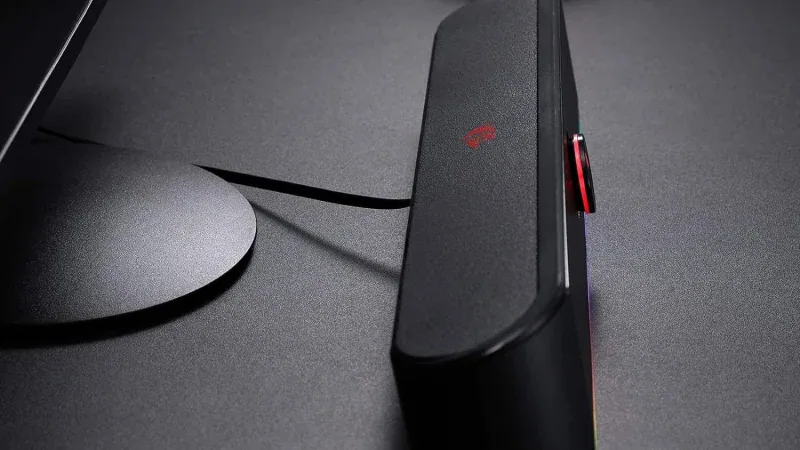
At around 40cm wide, the GS560 is compact enough to fit under most monitors without crowding your desk. It has a clean, rounded black plastic body, and at about 715g with a grippy foam base, it stays planted rather than sliding around.
The RGB strip runs along the bottom front edge and throws light onto your desk, which looks great in a dark gaming setup. Tap the Redragon logo on top to cycle through four lighting modes, including a mode that pulses in time with your music, or switch it off completely. The volume knob on the front also acts as the power switch and turns smoothly with a satisfying feel.
How does the Redragon GS560 sound?
Compared with the speakers built into most monitors, the GS560 is a big improvement. Dialogue is clearer, music has more body and games sound fuller and more immersive. It handles rock, EDM and hip-hop well enough for casual listening, and it gets loud enough for a desk setup.
It does have limits. Bass is light, so explosions won't rumble, and stereo separation is narrow because both drivers sit close together in one bar. That makes it hard to pinpoint where sounds are coming from, so for competitive shooters a headset is still the better choice. There's also built-in volume limiting to stop distortion, which keeps things clean but can soften the punch of the loudest moments. There's no EQ or app, so what you hear is what you get.
Setup and connectivity
Setup couldn't be simpler. The GS560 has a single fixed cable that splits into a USB plug for power and a 3.5mm jack for audio. Plug both into your PC and it's ready, with no drivers or software needed.
Because it uses a standard 3.5mm input, you can also connect it to a laptop, TV, phone or tablet, as long as there's a USB port or USB power adapter nearby. The downside of the fixed cable is that you can't replace or extend it, and plugging into a USB hub or a device without a spare port can be awkward.
Who should buy the Redragon GS560?
- Budget gamers relying on monitor speakers who want a cheap, noticeable upgrade.
- Small desks where full stereo speakers won't fit.
- RGB fans who want their speakers to match the rest of their setup.
If you want deep bass, accurate positional audio or audiophile sound quality, look at a dedicated 2.1 speaker system or a good gaming headset instead.
Pros and cons
Pros: affordable; compact enough for small desks; stylish RGB with music-reactive mode; plug-and-play setup; clear upgrade over monitor speakers.
Cons: limited bass; narrow stereo image; fixed, non-removable cable; volume limiting dulls loud moments; no EQ controls.
Final verdict
The Redragon GS560 is a simple, affordable and good-looking way to improve your desktop audio. It won't compete with proper speakers or a quality headset, but it's a clear upgrade over built-in monitor speakers, takes seconds to set up and adds a nice splash of RGB to your desk. For budget gamers, it's a worthwhile buy.
A cheap, compact soundbar that's a clear upgrade on monitor speakers, if not much more.
What we liked
- Fuller sound than built-in monitor speakers
- Compact enough to sit under most monitors
- Stylish RGB lighting with several modes
- Simple USB and 3.5mm plug-and-play
What we didn’t
- Limited bass
- Poor stereo imaging for positional audio
- Non-removable cable
- Volume limiting dulls loud moments

David Ware is the Founder and Managing Editor of iGame Magazine. Since 2024 he has built igamemag.com into a trusted online destination for gamers and tech enthusiasts, covering the latest gaming news, in-depth game reviews, hardware and tech breakdowns, and practical guides.
How we write: every article is researched from official sources, such as developer posts, store pages and press releases, then fact-checked and edited by David Ware before it's published. We use AI tools to help with research and drafting.
Related on iGame
 A very different take on gaming audioColo GCS: The 7.1.2 Surround Speaker That Straps to Your Gaming ChairOct 21, 2024
  Our top-rated wireless headsetSteelSeries Arctis 9 Review: Still Worth Buying in 2026?Apr 23, 2024
  Upgrade your mic tooBlue Yeti X Review: Is It Still Worth Buying in 2026?Apr 9, 2024
  More Tech ReviewsMSI Claw 8 EX AI+ Review Roundup: Is the Fastest Handheld Worth $1,799?Oct 9, 2026
  More Tech ReviewsSteam Frame Review Roundup: Is Valve’s VR Headset Worth It?Oct 8, 2026
  More Tech ReviewsSanDisk Desk Drive 8TB Review: Fast Desktop SSD Storage for GamersOct 15, 2024