

Nvidia’s RTX Filter
Unlock HDR in all your games with Nvidia's RTX Filter. Enhance your gaming experience with stunning visuals and vibrant colors. Try it now!
Image: NVIDIANvidia's RTX Filter Brings HDR to Non-HDR Games
Nvidia's new RTX HDR filter allows gamers to experience high dynamic range (HDR) visuals in games that don't natively support the feature. The filter uses AI to transform standard dynamic range (SDR) content into HDR in real-time.
Vastly Improved Visuals
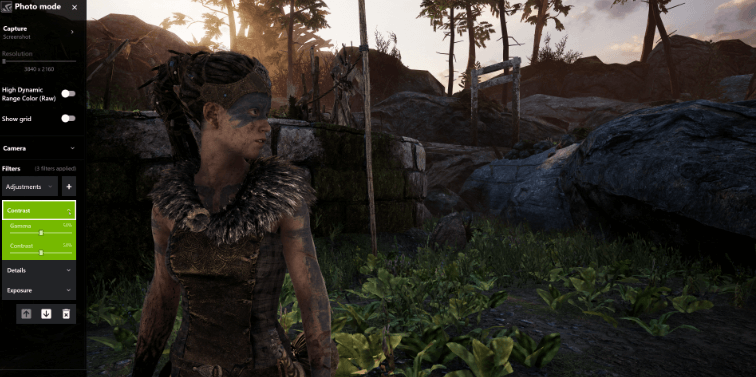
With the RTX HDR filter enabled, gamers can experience more vibrant colors, brighter highlights, and darker shadows in non-HDR titles. The filter analyzes each frame and employs a predictive model to enhance contrast and expand the color gamut. The end result is a picture with greater depth, detail, and a wider range of luminance levels that more closely matches what the human eye can perceive.
Seamless Experience
Since the RTX HDR filter works at the driver level, gamers don't have to wait for developers to patch in HDR support or download mods to enable the feature. The filter can instantly transform a game's visuals with a single click.
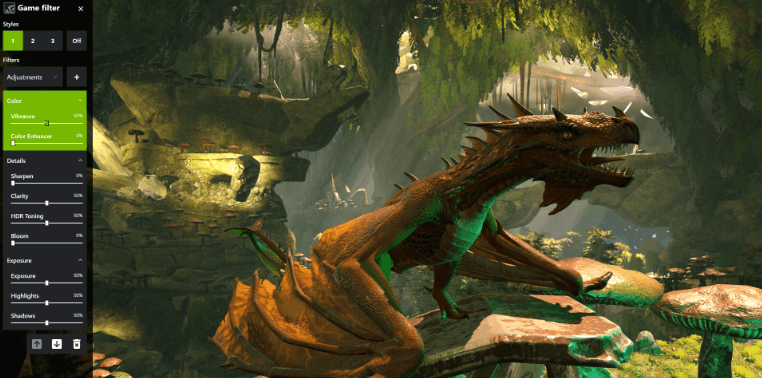
Gamers can also customize the filter's intensity to their liking using a simple slider in the Nvidia Control Panel. For the optimal experience, Nvidia recommends playing with HDR enabled on an HDR-capable gaming monitor.
How Nvidia's AI-Powered HDR Works to Enhance Games
Leveraging Deep Learning
Nvidia’s RTX filter utilizes deep learning, a type of machine learning that uses neural networks, to analyze thousands of HDR images. The AI studies the relationship between HDR and SDR images to learn how to intelligently enhance SDR games.
Transforming SDR into HDR
With this knowledge, the filter is able to take standard dynamic range (SDR) content and transform it into high dynamic range (HDR) in real-time.
Customized for Each Game
The filter is customized using a neural network trained specifically on that game's art style. This allows it to optimize the HDR effect for the desired look and feel of the game. The level of HDR enhancement can also be adjusted to the user's preference for more subtle or more dramatic results.
Improving Over Time
As more users enable the RTX HDR filter, the AI models will continue to improve from exposure to additional examples. Nvidia can also further refine the neural networks over time through a process called transfer learning.
Which GPUs Support the RTX HDR Filter and How to Enable It
Nvidia’s RTX HDR filter will be supported on Nvidia’s RTX 20-series and RTX 30-series GPUs, specifically the RTX 2060 and higher as well as the RTX 3060 and higher. To enable the filter, you will need to download the latest Game Ready driver through GeForce Experience once it is available.

David Ware is the Founder and Managing Editor of iGame Magazine. Since 2024 he has built igamemag.com into a trusted online destination for gamers and tech enthusiasts, covering the latest gaming news, in-depth game reviews, hardware and tech breakdowns, and practical guides.
How we write: every article is researched from official sources, such as developer posts, store pages and press releases, then fact-checked and edited by David Ware before it's published. We use AI tools to help with research and drafting.
Related on iGame
 More Tech NewsAMD FSR 4.1 Now Works on RX 6000 Cards, and It’s Coming to Xbox Series X|SOct 26, 2026
  More Tech NewsCapcom Data Breach: 11.7 Million CAPCOM ID Accounts Hit, What Was Taken and What to DoOct 26, 2026
  More Tech NewsIs the RTX 5090 Discontinued? NVIDIA Says No, but It’s Vanished From Shelves and Prices Have Hit $8,500Oct 20, 2026
  More Tech NewsNVIDIA RTX Spark Laptops Are Out: Every Model, Price and What They Mean for GamingOct 20, 2026
  More Tech NewsXbox Nano Controller: Price, Release Date and What You Get for $49.99Oct 19, 2026
  More Tech NewsAcer Predator Atlas 8: Price, Specs, Release Date and How It ComparesOct 13, 2026